

Camcloud Camera Health Check Gets Smarter
Camcloud Camera Health Checks (CHC) and alerts are crucial to monitor the stability and uptime of your cloud cameras. The last thing you want to discover is that your camera has been down for days and you didn’t know about it. You should always make sure your email and mobile push notifications are setup to receive Camera Health Check alerts. Resellers can also see a report of all their customer camera and their statuses in the Reseller Admin Portal.
The current Camera Health Check (CHC) service goals was to provide you details when a camera was “down” and why, with suggestions on how to fix it. Reasons include a camera connection issue such as the internet or the camera itself went down, to more specific cases for port forwarded cameras such as the RTSP port is no longer port forwarded. These different types of health checks were really focused on a camera begin completely inaccessible to the cloud. This has been hugely valuable for our customers, but what about a camera that is accessible but unstable? This would result in the camera passing the current set of CHC tests but its recordings are choppy and intermittent.
Introducing our new Continuous Recording health check dedicated to addressing this problem. The Camcloud team has developed an advanced analysis of your camera streams to determine if you have an unstable connection, identifying when a certain percentage of recording time has been missed that should be a cause for concern. This is often a symptom of three different things:
- Unstable internet connection
- Limited bandwidth
- Camera load
This is crucial because the existing health checks would still think the camera is fine since it’s accessible to the internet. The pings to the camera show it’s still online but the actual recordings show that it’s not. This new camera test will provide an “Unstable” email or push notification with the following message:
“Continuous stream unstable/failed. This is usually caused by bandwidth issues. Make sure to check your internet for any signs of bandwidth issues.”
See what it will look like in your email and mobile device. Notice we now are reporting when a camera is unhealthy, not just inaccessible.

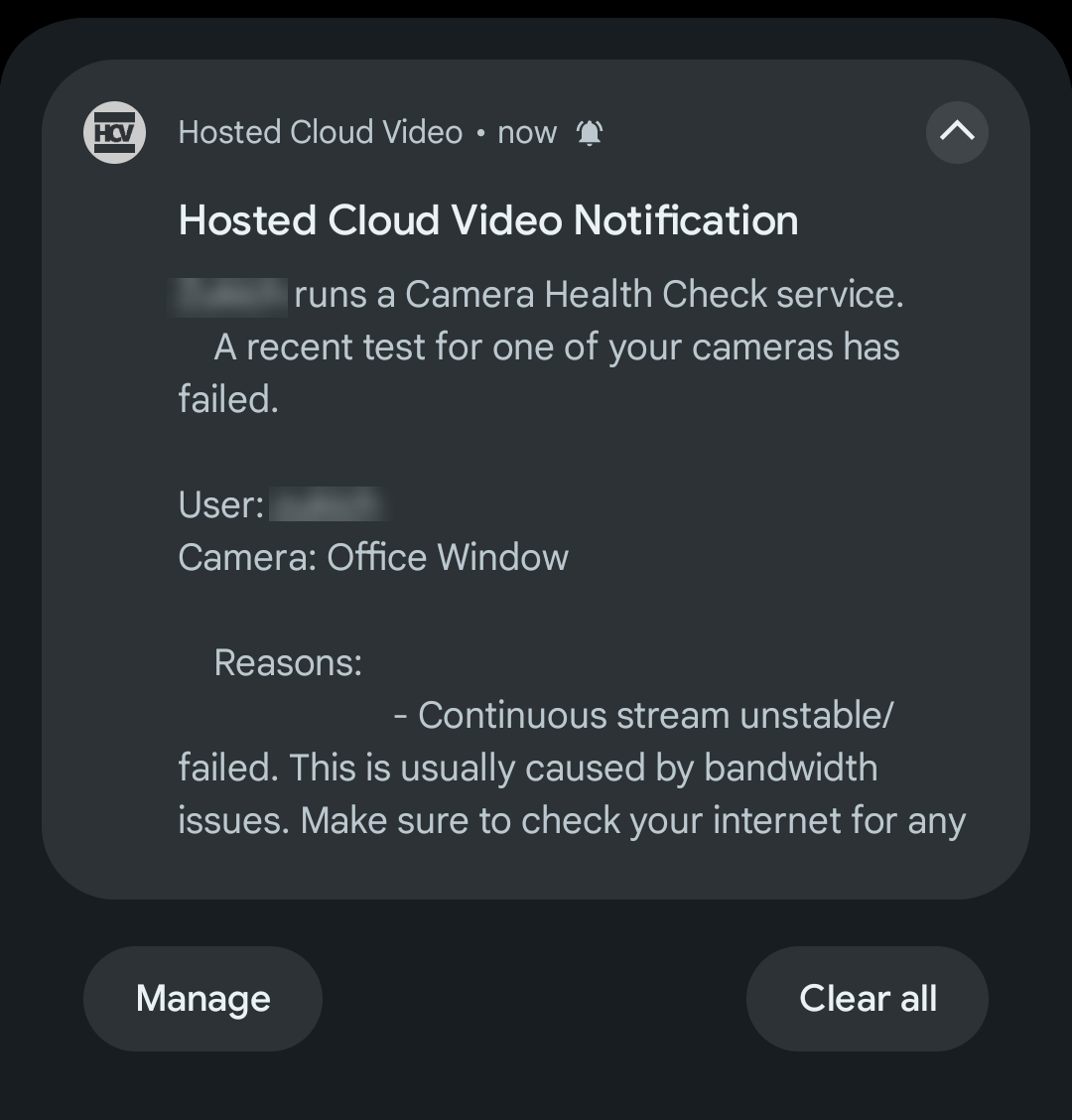
Note: This message for the continuous recording health only applies to cameras in continuous recording (CR) mode. We cannot measure the stability of a camera when it’s in event trigger mode.
As part of this we update we took the opportunity to update the existing messages. Previously you had two states:
- Pass (sometimes called Passed or Success)
- Fail (sometimes called Failed or Failure)
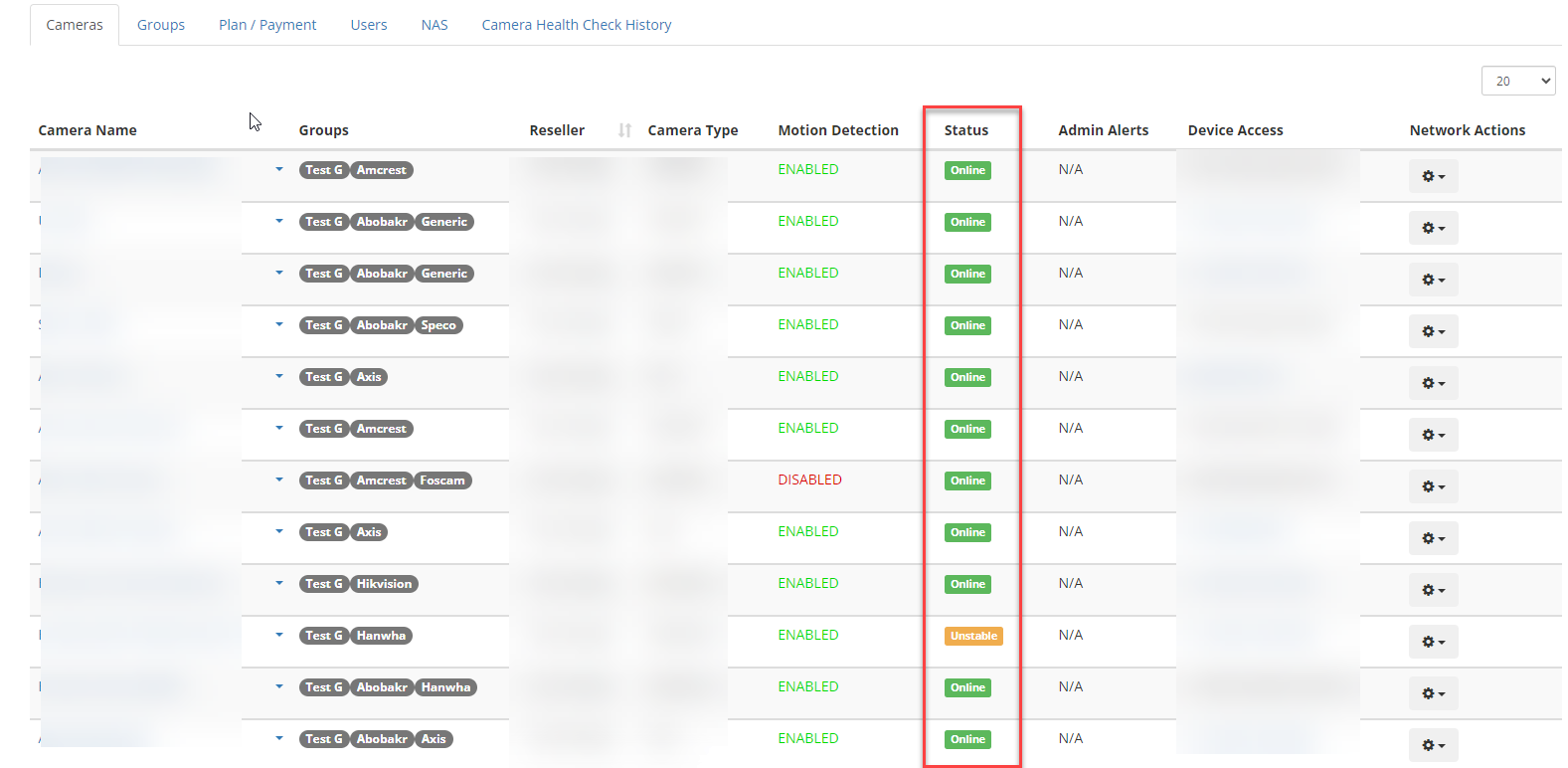
We’ve now changed this to 3 states:
- Online – camera is working just fine.
- Unstable – camera is failing any type of health check and CHC is continuing to retest
- Offline – camera has been unstable for more than 24 hours
As you’ll notice, unstable has numerous meanings. It can fail for any type of reason including the new continuous recording health. We continually check this camera for 24 hours until we label the camera as offline.
You can see how this looks in the Admin Portal for all your customer cameras in the screenshot below. We encourage every Camcloud Reseller to begin using this feature from their Reseller Admin Portal.
Consult the CHC documentation for more details.
One final note, this new test is not applicable for “test connection” when you add or edit a camera. These tests will continue to ensure the camera is accessible but not assess the stability of its recordings.

No Comments